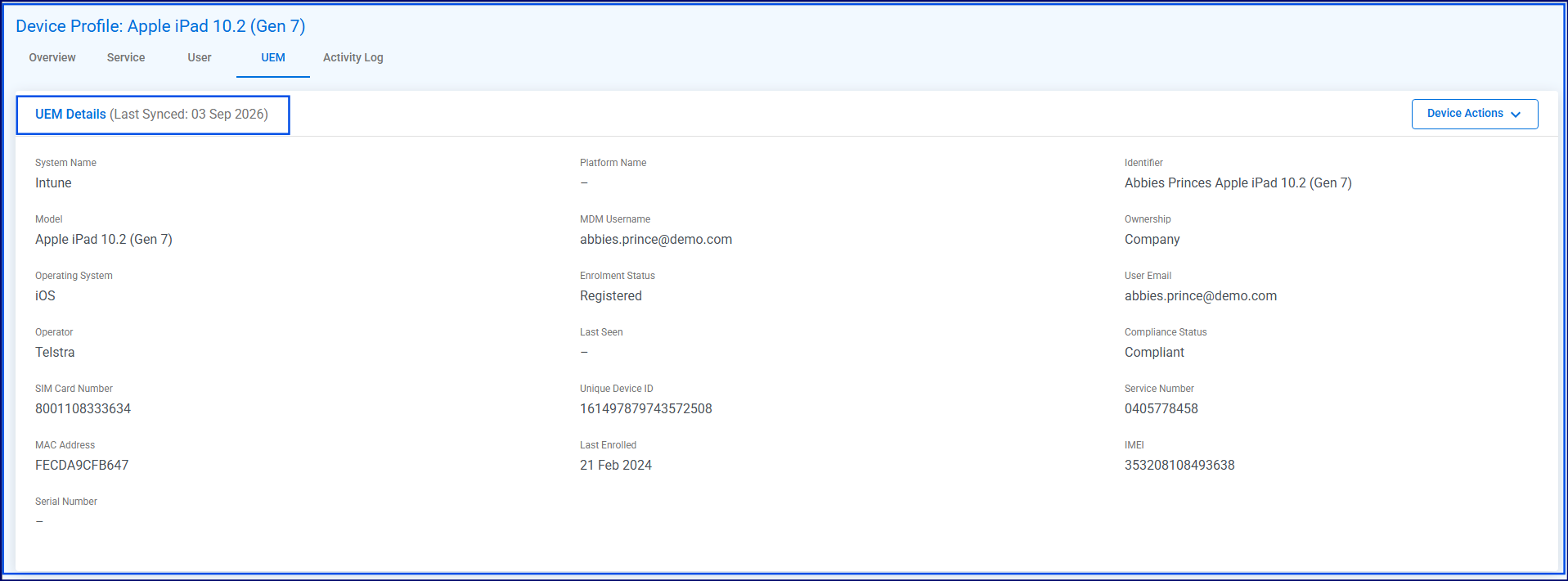
UEM and CDR syncMore complete device data, improved sync management and expanded integration support. Bluewater Connect now retains historical UEM data and device sync dates, even when a device is no longer included in subsequent syncs from the UEM provider.
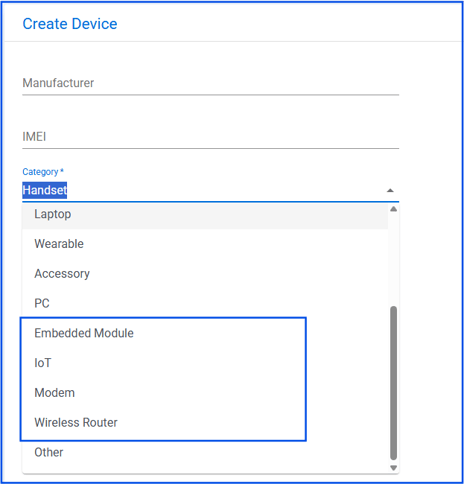
SIM serial number from CDR The SIM serial number is now loaded automatically from Telstra CDR files into the Service Entity for more complete record keeping. New device categories New categories have been added for upcoming CDR Device Sync: Embedded Module, IoT, Modem and Wireless Router.
New Sync Integration tab A centralised Sync Integration hub is now available in Portal Settings for managing Microsoft Graph API (Intune), Workspace ONE UEM and Telstra CDR configurations, see below video for setup options:
|
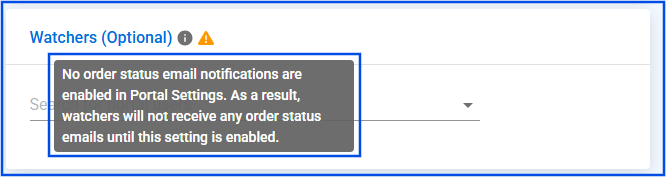
Ordering and AssistClearer ordering workflows and more flexibility for approval and fulfilment. Backup approvers can approve any cart Backup approvers can now view and approve any shopping cart on behalf of an unavailable original approver, helping prevent procurement delays. Watcher notification warning A new warning icon in ordering forms alerts users when a watcher will not receive emails because of portal settings.
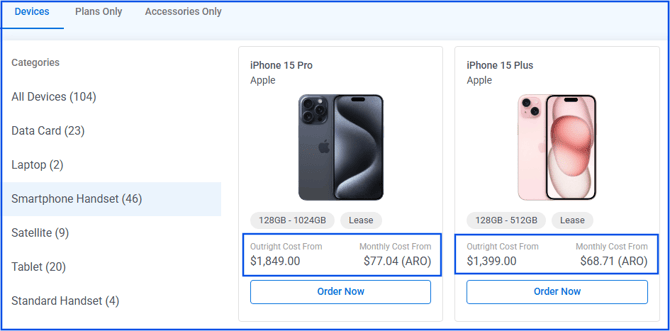
Expanded custom fields Device Fields and Service Fields now open in an expanded state in ordering flows, making custom fields easier to review. MRO and ARO costs in Device Procure The ordering catalogue now displays monthly payment options for devices, including Lease, MRO and ARO.
Updated statuses for existing services Existing services identified to fulfil an order are now automatically reactivated and set to To Be Billed when Port-on or Transfer-on orders are completed. |
Evolution Reconciliation LayerMore control over Custom Data Pools and clearer pre-billed usage information. Configure service limits Portal admins can now set and update service limits for Custom Data Pools to manage Evolution plan capacities more effectively: View service limits in Pre-Billed Data Usage Users with full access can now view the service limit for Custom Data Pools and understand total capacity at a glance:
Show last bill date in Custom Data Pool views Cost Centre Managers can now see the Last Bill Date in the Pre-Bill Data Usage Custom Data Pool view, helping them assess usage against the billing cycle:
|
Reporting and listing changesBetter filtering, consistent reporting periods and clearer financial context. Show currency and add a currency filter Service listings now show the carrier currency and support currency filtering, reducing ambiguity in multi-currency environments:
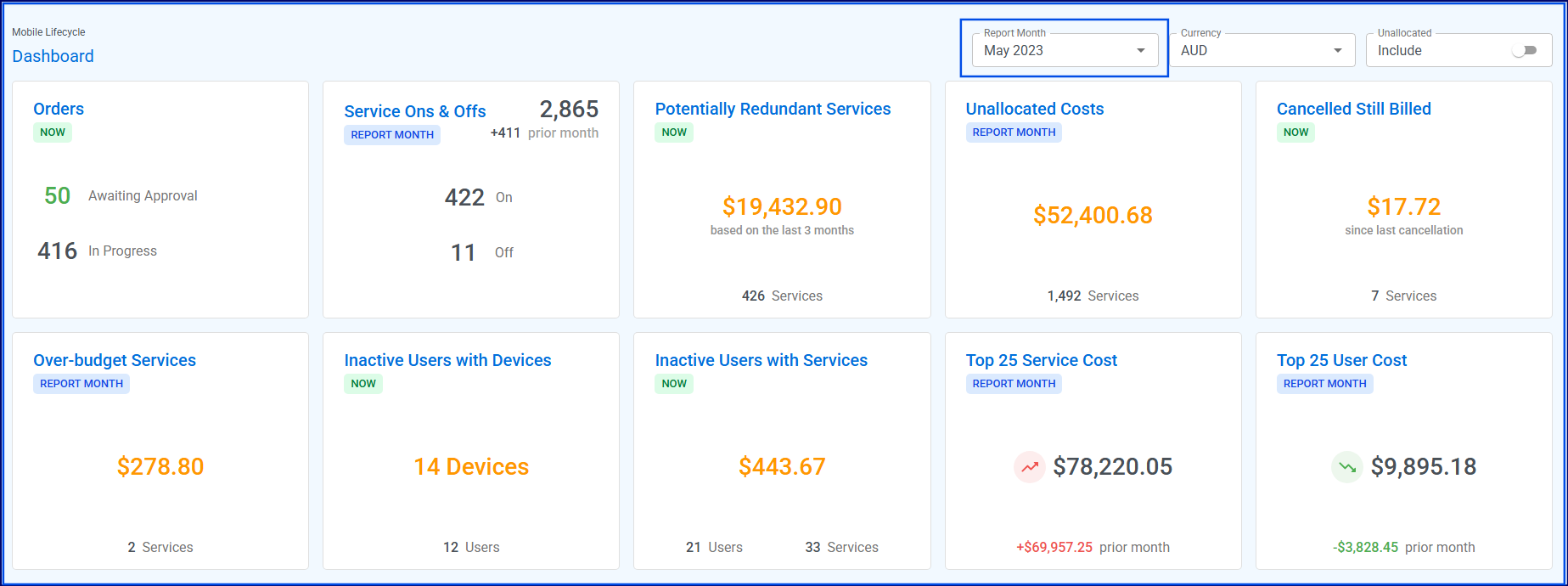
Select a report month A report month filter has been added to the MOB and TEM dashboards, enabling users to view historical widget data on demand:
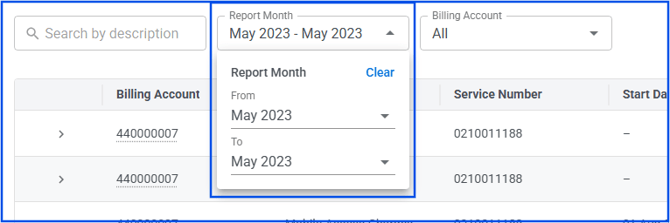
Standardised report month selector Trend reports now use a consistent month-range dropdown with validation for a maximum period of 24 months:
Corrected Potentially Redundant Services reporting The Potentially Redundant Services panel now correctly handles services billed in months later than the current report month. Exclude $0 services from Unallocated Costs by default The Unallocated Cost widget and report now exclude services with $0 costs by default, with a toggle to include them when required. Faster Cost and Usage search Invoice > Cost & Usage views now use database-backed search with targeted filters for service numbers and descriptions. Carry report month and currency across reports Selected report months and currencies now persist as users move between reports and dashboards. Report date restored The summary section of the Pre-Bill Data Usage report now displays the report date, providing clearer context for CDR file sync:
|
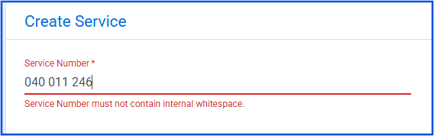
User Experience ImprovementsSmall interface changes that make everyday work easier to follow. Standardised service number whitespace handling Service numbers no longer allow whitespace between characters, helping prevent duplicate records and ensuring consistent data matching across entry points.
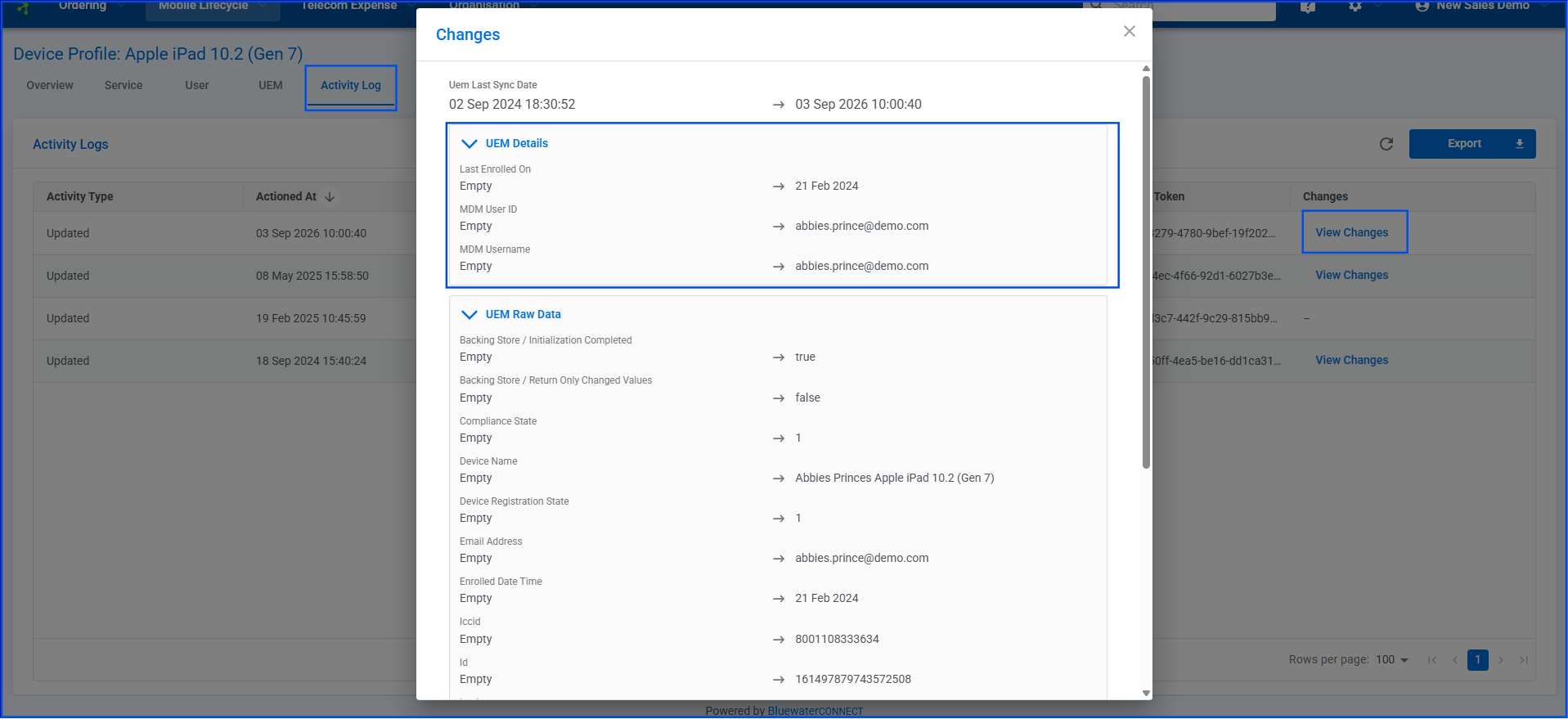
ConnectWise Integration: Add order comments to ticket descriptions Order comments are now included automatically in ConnectWise ticket descriptions, giving partners the context they need for each order. Improved Cost Centre fields Activity log labels now distinguish clearly between Cost Centre Owner and allocation hierarchies, while redundant IDs have been removed. UEM activity logging Field-level changes for UEM details and raw data are now shown in the activity log, with an expand-and-collapse interface for easier review:
|