
📊 Reports & Listing Enhancements
- Explain how Reports work
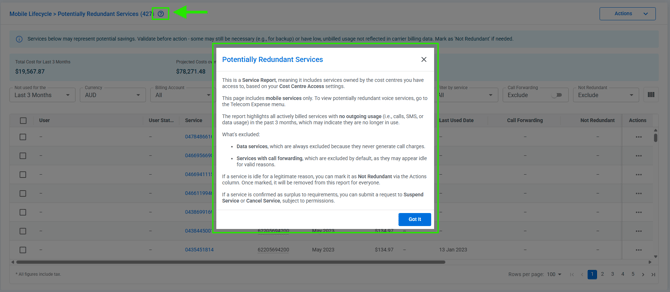
- Portal users can now access contextual help via a question mark icon to understand report logic and data sources. This is available on ALL reports in the platform.
- Sync mobile service network features from Telstra's CDR live
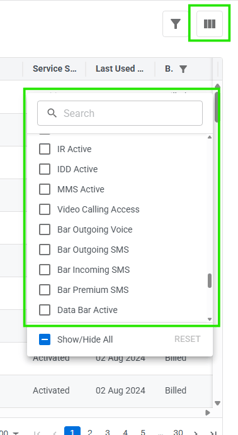
- For all Telstra mobile services, Connect will now sync and display the available network feature/restrictions. These are updated daily and currently shown in the "service management" report. You can include these values by including their corresponding columns to the report (shown below). These will also be added to the "service profile" overview with future planned enhancements.
- Service Ons & Offs in Mobile Lifecycle dashboard
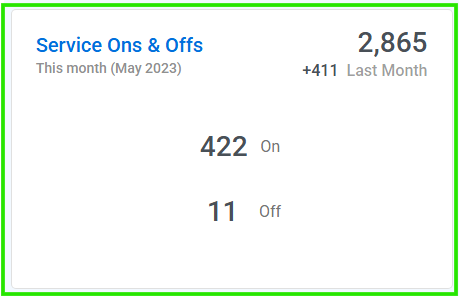
- A new Mobile Lifecycle dashboard widget provides a quick summary of total mobile services and monthly changes to improve visibility into fleet movements.
- View UEM last sync date
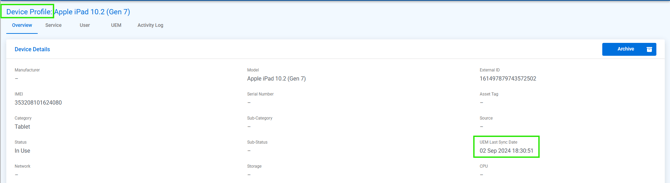
- View the last UEM synchronisation timestamp for users and devices in profile pages (shown below), listing screens, and exports:
- Filter custom fields in entity listing pages
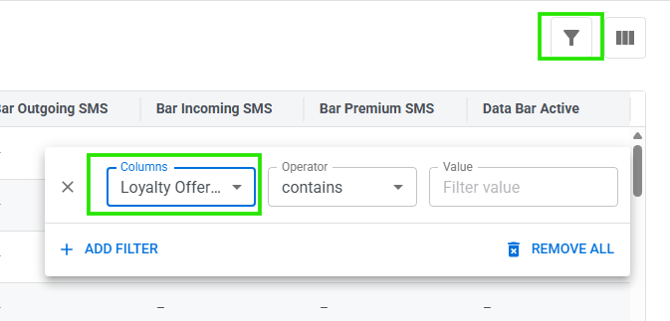
- Enhances data discoverability by allowing users to filter Service, Device and User listings using entity-specific custom fields. You can now filter on custom fields by selecting them from the "columns" list in the "filter" function (shown below):
- Align Unallocated Filters between Dashboards and Reports
- To ensure data consistency, unallocated cost filters now persist when drilling down from dashboards to reports.
- Filter Billed Data Usage by Carrier Currency
- Users can now filter billed data usage by currency to view costs and usage aligned with specific country or carrier contexts.
- Filter Service Ons & Offs by Carrier Currency
- The Service Ons & Offs widget now supports currency filtering to provide a more relevant view of service changes within a specific billing context.
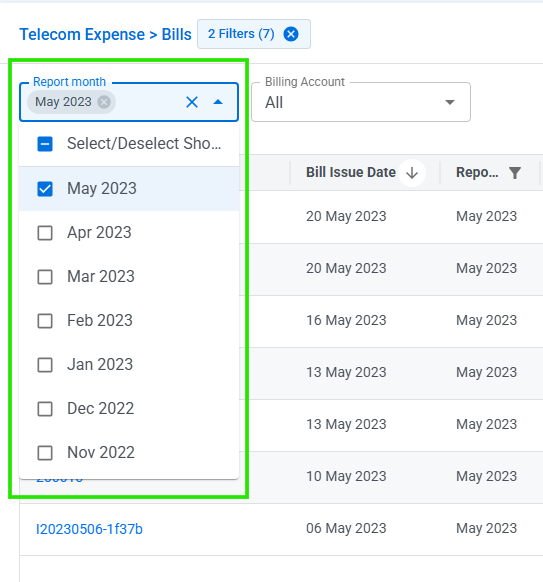
- Quick Filter Bills by multiple Report Months and Billing Accounts
- New multi-select quick filters for report months and billing accounts allow for faster and more flexible bill searching.
🛒 Ordering
- Add multiple order watchers
- Enhanced the ordering workflow to support multiple watchers per order, ensuring all relevant stakeholders stay informed.
- Bulk Completion for Orders
- Extends the function of "Mark all as Completed" button to orders as well for easier bulk completion, this is now available for orders that contain Accessories only.
- Extends the function of "Mark all as Completed" button to orders as well for easier bulk completion, this is now available for orders that contain Accessories only.
📱 MSP Reporting
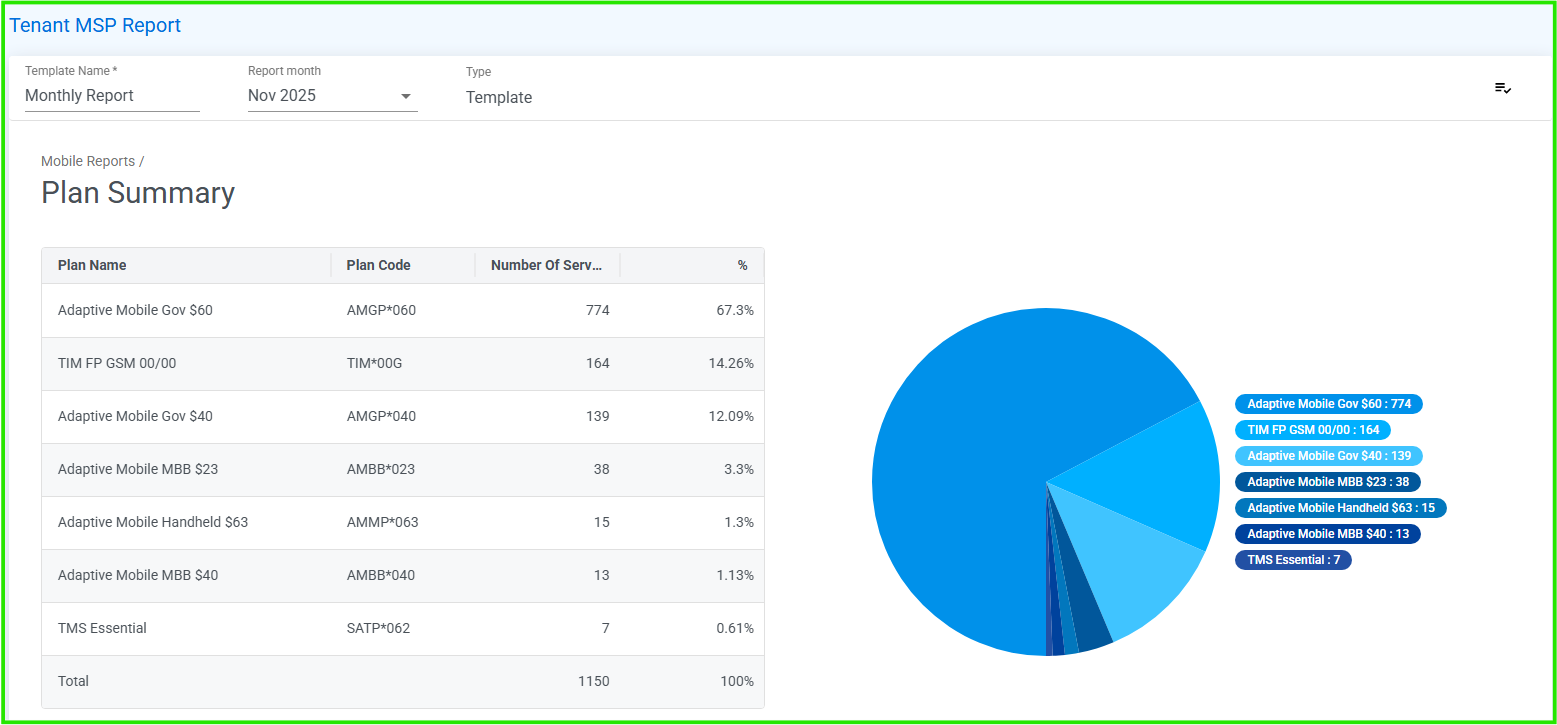
- New Plan Summary section
- Introduced a new Plan Summary section for Telstra mobile services using the CDR information:
↗️Misc. UX Improvements
- Enhance Multi-Select Dropdown with Search Usability
- Improves filter efficiency by providing a clearer "All" state, alphabetical sorting, and a compact view for multiple selections.
- Display Data Usage with Natural Unit Conversion
- Enhances readability by automatically scaling data usage units from MB to GB and TB based on the volume of data.
- Improved Reporting Side Drawer - Reports Sidebar expands on click
- To prevent accidental overlaps, the reports sidebar now expands only upon clicking or using a keyboard shortcut.
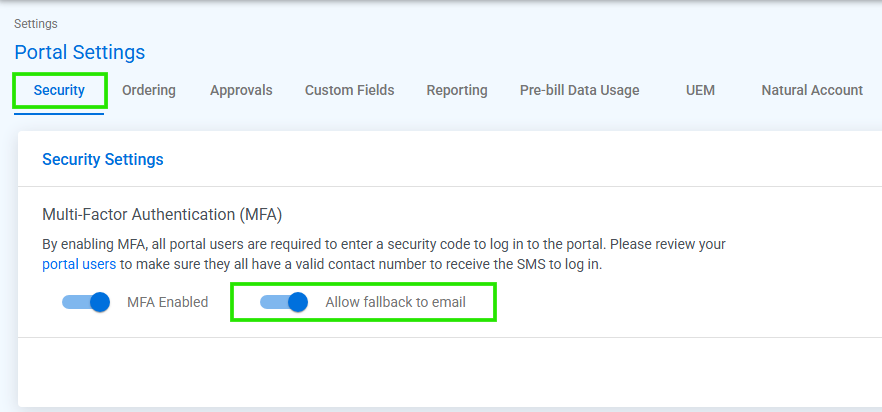
- Fall back SMS MFA to Email
- When enabled via portal setting, portal users can now choose to receive verification codes via email, which is helpful in case where SMS is unavailable to the user:
ℹ️For more information and detailed examples of the above please click on the Knowledge Base link here
👉 Need help or have questions?
Partner Support (partnersupport@bluewatercontrol.com)
Customer Support (customersupport@bluewatercontrol.com)
All the best,
Bluewater team